 54d1b5e3bb
* feat(feedback): add validation for feedback creation and update Introduced validation functions for feedback creation and update in the new validation service. Updated feedback controller to utilize these validation functions before processing requests. * refactor(feedback): update validation to return feedback object - Modified validateFeedbackExists to return the ChatMessageFeedback object instead of a boolean. - Updated validateFeedbackForUpdate to utilize the returned feedback object for setting default values. |
||
|---|---|---|
| .github | ||
| .husky | ||
| assets | ||
| docker | ||
| i18n | ||
| images | ||
| metrics | ||
| packages | ||
| .dockerignore | ||
| .eslintrc.js | ||
| .gitignore | ||
| .npmrc | ||
| CODE_OF_CONDUCT.md | ||
| CONTRIBUTING.md | ||
| Dockerfile | ||
| LICENSE.md | ||
| README.md | ||
| SECURITY.md | ||
| artillery-load-test.yml | ||
| package.json | ||
| pnpm-lock.yaml | ||
| pnpm-workspace.yaml | ||
| turbo.json | ||
README.md

Flowise - Build LLM Apps Easily





English | 繁體中文 | 简体中文 | 日本語 | 한국어
Drag & drop UI to build your customized LLM flow
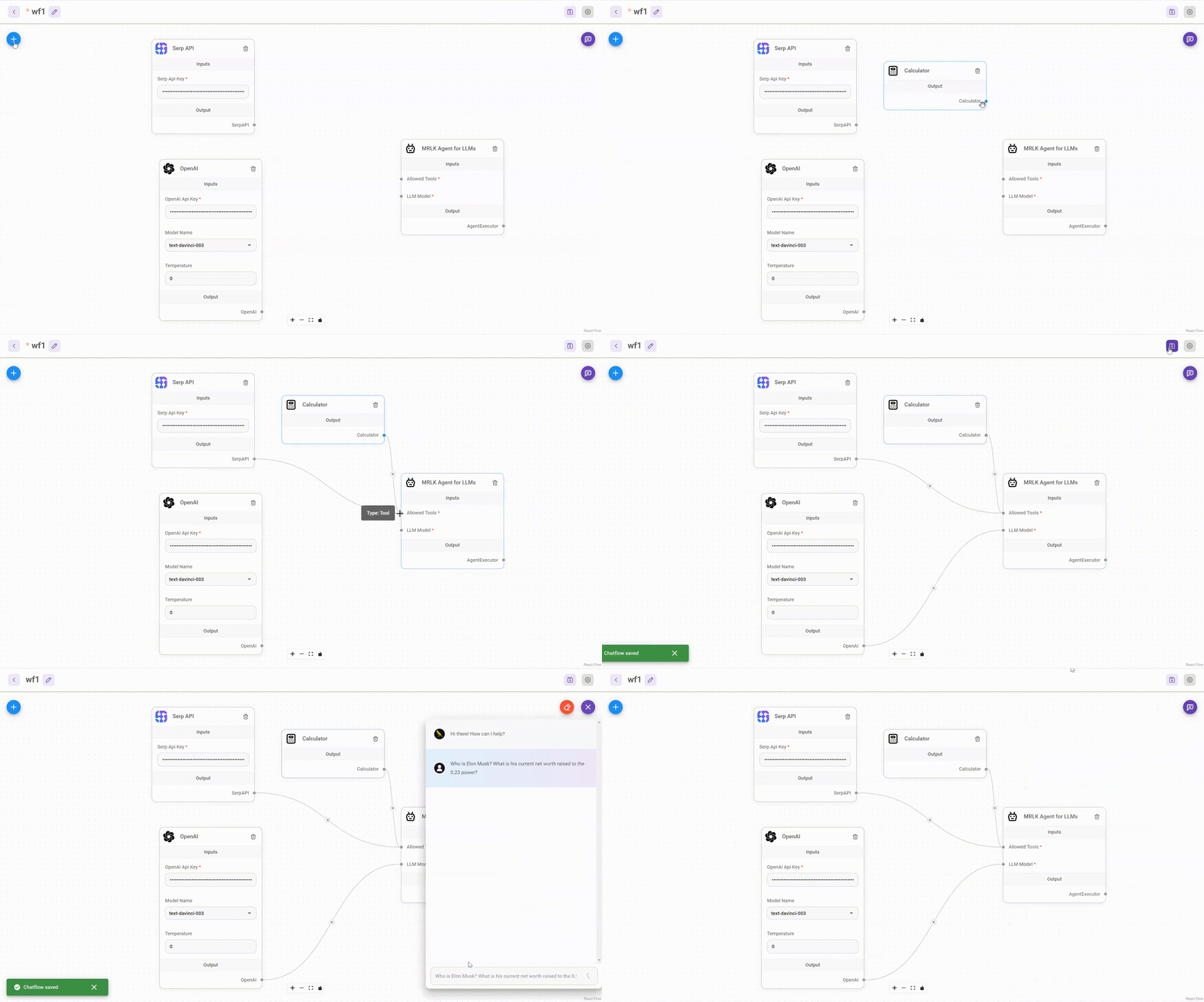
⚡Quick Start
Download and Install NodeJS >= 18.15.0
-
Install Flowise
npm install -g flowise -
Start Flowise
npx flowise startWith username & password
npx flowise start --FLOWISE_USERNAME=user --FLOWISE_PASSWORD=1234
🐳 Docker
Docker Compose
- Clone the Flowise project
- Go to
dockerfolder at the root of the project - Copy
.env.examplefile, paste it into the same location, and rename to.envfile docker compose up -d- Open http://localhost:3000
- You can bring the containers down by
docker compose stop
Docker Image
-
Build the image locally:
docker build --no-cache -t flowise . -
Run image:
docker run -d --name flowise -p 3000:3000 flowise -
Stop image:
docker stop flowise
👨💻 Developers
Flowise has 3 different modules in a single mono repository.
server: Node backend to serve API logicsui: React frontendcomponents: Third-party nodes integrationsapi-documentation: Auto-generated swagger-ui API docs from express
Prerequisite
- Install PNPM
npm i -g pnpm
Setup
-
Clone the repository
git clone https://github.com/FlowiseAI/Flowise.git -
Go into repository folder
cd Flowise -
Install all dependencies of all modules:
pnpm install -
Build all the code:
pnpm buildExit code 134 (JavaScript heap out of memory)
If you get this error when running the above `build` script, try increasing the Node.js heap size and run the script again:export NODE_OPTIONS="--max-old-space-size=4096" pnpm build -
Start the app:
pnpm startYou can now access the app on http://localhost:3000
-
For development build:
-
Create
.envfile and specify theVITE_PORT(refer to.env.example) inpackages/ui -
Create
.envfile and specify thePORT(refer to.env.example) inpackages/server -
Run
pnpm dev
Any code changes will reload the app automatically on http://localhost:8080
-
🔒 Authentication
To enable app level authentication, add FLOWISE_USERNAME and FLOWISE_PASSWORD to the .env file in packages/server:
FLOWISE_USERNAME=user
FLOWISE_PASSWORD=1234
🌱 Env Variables
Flowise support different environment variables to configure your instance. You can specify the following variables in the .env file inside packages/server folder. Read more
📖 Documentation
🌐 Self Host
Deploy Flowise self-hosted in your existing infrastructure, we support various deployments






☁️ Flowise Cloud
Get Started with Flowise Cloud
🙋 Support
Feel free to ask any questions, raise problems, and request new features in discussion
🙌 Contributing
Thanks go to these awesome contributors
See contributing guide. Reach out to us at Discord if you have any questions or issues.
📄 License
Source code in this repository is made available under the Apache License Version 2.0.