agentic-aiagentic-workflowagentsartificial-intelligencechatbotchatgptjavascriptlangchainlarge-language-modelslow-codemultiagent-systemsno-codeopenairagreacttypescriptworkflow-automation
 5c18be2078
|
||
|---|---|---|
| .github | ||
| .husky | ||
| assets | ||
| docker | ||
| images | ||
| packages | ||
| .dockerignore | ||
| .eslintrc.js | ||
| .gitignore | ||
| .prettierignore | ||
| .prettierrc.js | ||
| CODE_OF_CONDUCT.md | ||
| CONTRIBUTING.md | ||
| Dockerfile | ||
| LICENSE.md | ||
| README.md | ||
| babel.config.js | ||
| package.json | ||
| turbo.json | ||
README.md
Flowise - LangchainJS UI
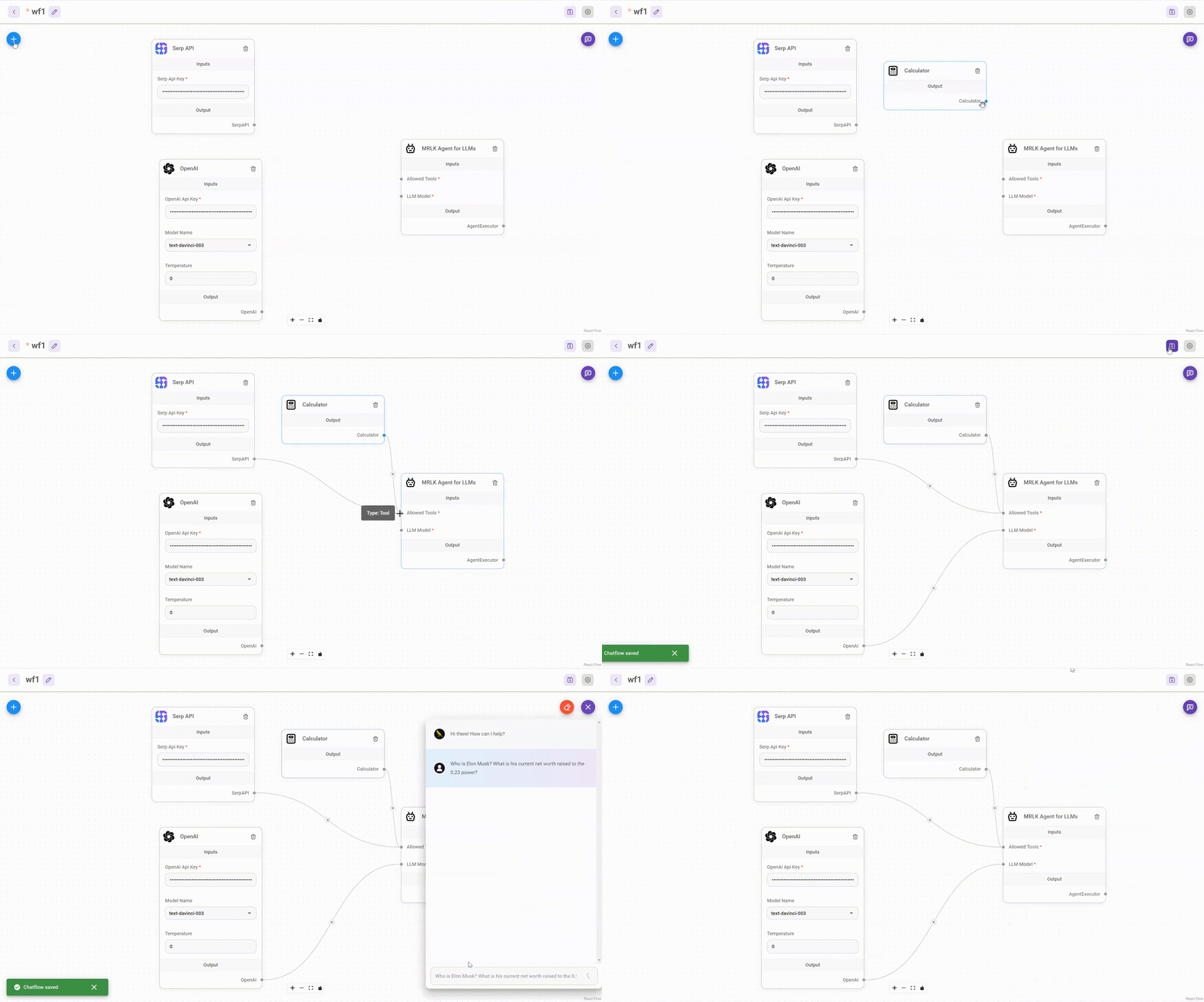
Drag & drop UI to build your customized LLM flow using LangchainJS
⚡Quick Start
-
Install Flowise
npm install -g flowise -
Start Flowise
npx flowise start
🐳 Docker
- Go to
dockerfolder at the root of the project - Create
.envfile and specify thePORT(refer to.env.example) docker-compose up -d- Open http://localhost:3000
- You can bring the containers down by
docker-compose stop
👨💻 Developers
Flowise has 3 different modules in a single mono repository.
server: Node backend to serve API logicsui: React frontendcomponents: Langchain components
Prerequisite
- Install Yarn
npm i -g yarn
Setup
-
Clone the repository
git clone https://github.com/FlowiseAI/Flowise.git -
Go into repository folder
cd Flowise -
Install all dependencies of all modules:
yarn install -
Build all the code:
yarn build -
Start the app:
yarn startYou can now access the app on http://localhost:3000
-
For development build:
yarn devAny code changes will reload the app automatically on http://localhost:8080
📖 Documentation
Coming soon
💻 Cloud Hosted
Coming soon
🌐 Self Host
Coming soon
🙋 Support
Feel free to ask any questions, raise problems, and request new features in discussion
🙌 Contributing
See contributing guide. Reach out to us at Discord if you have any questions or issues.
📄 License
Source code in this repository is made available under the MIT License.